
Download the Batery Mobile App for Android (APK) and iOS (PWA)
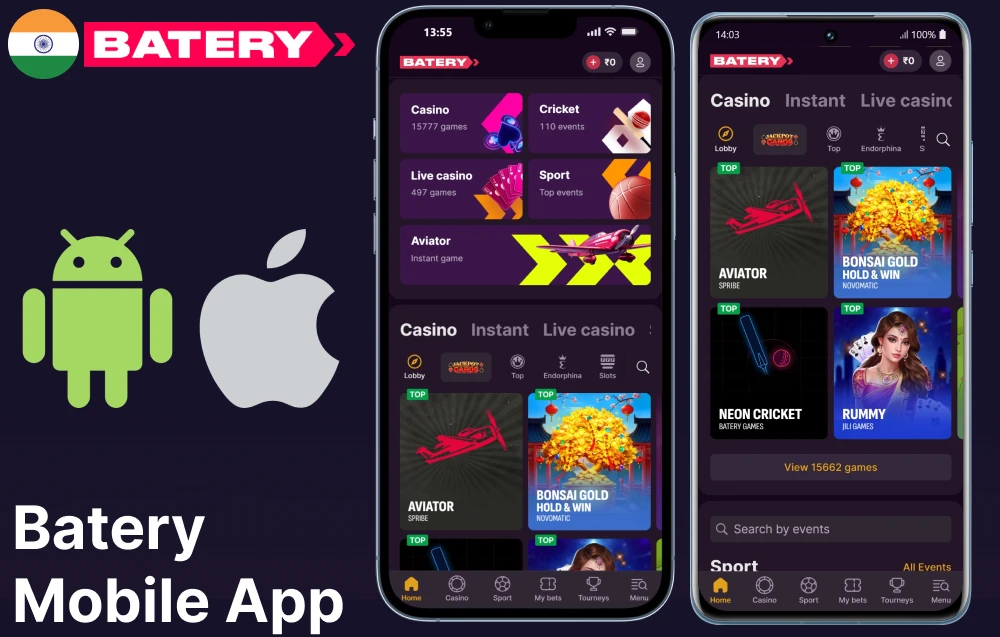
Indian players use the Batery mobile app to bet, play casino games, make payments, and receive bonuses. The app offers more than 5,000 casino games and includes over 30 sports. Android users download the 5.54 MB APK file from the website, and their devices must run version 6.0 or later. iOS users create a Web App shortcut on the home screen through Safari, with devices needing version 11 or higher. Players deposit funds using UPI or PhonePe. The package provides up to ₹150,000 spread across five deposits.
Content
Quick and Easy Steps to Download Batery APK for Android
Before downloading the Android APK, Indian users check whether their device uses a supported Android version and confirm there is enough storage. They then change a setting in the device settings to allow the download. The steps below show how to install files that do not come from the Google Play Store.
Download the APK File
These steps show how to open the Batery site on a mobile device and explain how to start the APK file download in India.
- Open the browser. Launch any browser on an Android model;
- Go to the official page. Type the Batery India address directly into the browser bar;
- Locate the app section. Find the dedicated download area on the page;
- Select the Android option. Tap the button that corresponds to Android access;
- Start the download. Tap the APK download link to begin the file transfer;
- Check the notifications bar. Open the notifications bar to track the download progress;
- Launch the completed file. Tap the finished APK file in the notifications bar;
- Confirm the installation prompt. Tap install on the screen that appears.
Adjust Security Settings
Android prevents users from installing APK files that are not from the Google Play Store. This section describes the steps to grant permission. Once permission is given, APK files can be installed on any device.
- Open the Settings app on the Android model;
- Navigate to the Privacy or Security section inside Settings;
- Select the option labelled Install Unknown Apps or Unknown Sources;
- Choose the browser or file manager used to download the APK;
- Toggle the permission to allow installation from that source;
- Return to the downloaded APK file and begin the installation;
- Confirm the installation prompt on screen;
- Return to Settings and switch the permission off to restore the original restriction.
Finalize the File Download
After the APK file transfer is complete, locate the APK file and prepare it by following the steps.
- Open the notification shade. Pull down from the top of the screen to view active and completed downloads;
- Tap the completed download notification. Select the Batery APK entry from the notification list;
- Open the Downloads folder. Use a file manager application to locate the APK file directly;
- Confirm the file name. Check that the file name matches the one from the official page;
- Tap the APK file. Select it to begin the installation prompt.
Launch the App Installer
After the APK file downloads, installation takes less than a minute. On Android, follow each step below to continue.
- Locate the APK file. Open the Downloads folder and tap the Batery APK file;
- Confirm the prompt. Tap Install on the system permission screen;
- Complete the setup. Wait for the progress bar to finish, then tap Done;
- Find the icon. Look for the Batery icon on the home screen or app drawer;
- Open the app. Tap the icon to launch it for the first time;
- Access the account. Select Login to enter existing details or Register to create a new account.
How to Install the Batery Betting App on iOS Models
Safari on iPhone and iPad allows you to access Batery as a web app. The app operates directly in your browser. During setup, you follow steps to add a shortcut to your device. This shortcut appears on your home screen. Tap it to open the app version. From there, you can place bets, play games, and use account management tools.
Select the Download Button
People access Batery on an iPhone or iPad through Safari. To use the web app, open Safari and follow these steps.
- Open Safari. Launch the Safari browser on the iPhone or iPad;
- Enter the address. Type the official Batery address into the Safari address bar;
- Go to the app section. Scroll to the dedicated download area on the page;
- Tap the iOS button. Select the iOS download or PWA button shown on the page;
- Confirm the action. Follow the on-screen prompt to open the web application;
- Start using the app. Access the full range of functions directly from Safari.
Open the Safari Share Menu
On iOS, users open Batery in Safari. They receive instructions for each step, starting with loading the site. The steps explain how to add a shortcut to the screen.
- Visit the site. Open Safari on the iPhone or iPad and go to the Batery mobile site;
- Locate the Share icon. Tap the Share icon at the bottom of the Safari toolbar;
- Open the Share menu. Tap the Share icon to open the full list of available actions;
- Scroll through options. Swipe left or right through the row of action icons inside the menu;
- Find the home-screen option. Scroll down the list to find the Add to Home Screen option.
Add the Batery App Shortcut to Your Home Screen
On an iPhone, you can use Safari to add a shortcut for the Batery mobile site to your home screen. To set this up and get full-screen view, follow these steps.
- Tap the Share button. Open the Batery site in Safari and select the Share icon at the bottom of the screen;
- Select Add to Home Screen. Scroll through the Share menu and tap the Add to Home Screen option;
- Edit the shortcut name. Change the label text to any preferred name. Tap Add to confirm;
- Confirm the action. Save the icon to the home screen;
- Launch from the icon. Tap the new icon to open Batery in full-screen view.
Standout Features of the Batery Mobile App
Indian users can download the Batery app on Android or iOS. The following list outlines the app's available functions.
- Android APK access: A free APK file runs on Android 6.0 or newer, which keeps older smartphones fully supported;
- iOS PWA: iPhone and iPad users access the app through Safari without any installation;
- Sports coverage: 30+ sports are listed, including cricket, kabaddi, and football;
- Casino library: 5,000+ games are available, including Andar Bahar, Teen Patti, and live dealer tables;
- Payments: UPI, PhonePe, Paytm, and Bitcoin are supported, with deposits from ₹300;
- Bonuses: The welcome package reaches ₹1,50,000 across five deposits with 430 free spins;
- Language support: English, Hindi, and Bengali are all available inside the app;
- Low system needs: 1GB RAM and 50MB storage are sufficient to run the app.
What You Can Access on the Batery App
The Battery App includes five sections. Mobile phone users in India can access these sections using the navigation. Both Android and iOS users are supported.
- Sports betting with 30+ disciplines and live betting markets;
- Casino games across slots, table games, and live dealer rooms;
- Bonuses including the welcome package and deposit rewards;
- Payment tools covering UPI, PhonePe, Paytm, and cryptocurrency deposits;
- Support through live chat and the email address support@batery.in.
Optimised for All Smartphone Models
The Batery app India supports a variety of Android and iOS devices. Developers review technical specifications to ensure the app operates on phones commonly used in India.
- The APK file size sits at 5.54MB, which keeps the download fast on slower connections;
- Mid-range Android models like Samsung Galaxy A14, Xiaomi Redmi Note 11, and Realme Narzo 50 all run the app without issue;
- The PWA format on iPhone and iPad removes the need for a separate file download;
- Portrait orientation stays the default layout across all screen sizes;
- Account access, deposits, withdrawals, and game loading all function with 1GB of RAM or more.
Extensive Selection of Sports Betting Markets
The Batery betting section offers a range of disciplines and bet formats. The list below outlines what users encounter when placing bets in the app.
- Cricket and IPL: dedicated coverage includes IPL fixtures and domestic Indian tournaments;
- Kabaddi: Pro Kabaddi League tournaments appear in the pre-match and live sections;
- Football and tennis: major international competitions sit alongside Indian tournament schedules;
- Basketball: league-level and international fixtures are listed across pre-match sections;
- Esports: CS2 and Dota 2 events appear with live and pre-match betting markets;
- Pre-match betting: scheduled fixtures allow bets to be placed on upcoming action;
- Live betting: odds update in real time during active fixtures;
- Singles: one selection per bet slip;
- Accumulators: multiple selections combine into a single bet;
- System bets: several combinations run within one submission.
Fully Featured Online Casino
The app organizes casino games into groups so users can find all available options in one place and play directly without needing to download.
- Over 5,000 slot games fill the largest category inside the app;
- Table games include roulette and blackjack across multiple variants;
- Card games include poker and baccarat;
- Crash games include Aviator and JetX;
- Live dealer tables run in real time with professional dealers;
- Andar Bahar appears as a dedicated option for those in India;
- Teen Patti is available among the listed card games;
- The full casino requires no second application download.
Generous Bonuses & Promotional Offers
Batery offers a package divided across five deposits. With each deposit, players get a percentage and free spins, so they can collect rewards as they go.
- Total welcome value: The package reaches up to ₹150,000 plus 430 free spins across all five deposits;
- First deposit: A 150% bonus plus 200 free spins activates from a minimum deposit of ₹300;
- Second deposit: A 50% bonus plus 100 free spins becomes available;
- Third deposit: A 100% bonus plus 30 free spins applies;
- Fifth deposit: A 100% bonus plus 100 free spins closes the package;
- Wagering rules: Sports bets carry a 15x wagering requirement and casino games carry a 45x requirement;
- In-app promotions: Reload bonuses and cashback rewards appear inside the account section for active participants.
24/7 Dedicated Customer Care
Batery offers two support channels. Staff assist with account, payment, and technical questions through both options. The article describes how each channel operates.
- Live chat: Available directly inside the application and on the website, with responses arriving within minutes;
- Email support: Reachable at support@batery.in, with replies sent within 24 hours;
- English support: Available across both live chat and email at all times;
- Hindi support: Fully supported through the same contact channels;
- Bengali assistance: Also listed among the available communication languages;
- Account issues: Handled through both channels, including login and registration questions;
- Payment queries: Deposit and withdrawal questions reach the same contacts;
- Technical problems: Live chat or email handles model access and installation issues.
Beginner-Friendly Deposit Limits
Batery App India allows users to deposit funds and withdraw money. The available payment options each have their own limits.
- Minimum deposits start at ₹300, which keeps the entry point accessible for new users;
- Minimum withdrawals begin at ₹500, with some methods requiring ₹1,000 as the lowest amount;
- UPI, PhonePe, and Paytm each carry their own individual thresholds;
- Cryptocurrency options such as Bitcoin and Ethereum hold separate upper limits of ₹500,000;
- Low minimum amounts suit those who want to test account functions with small deposits first.
Everything About the Batery App for Android
To install Batery on Android, users need to download and use an APK file. Model settings require manual configuration. System requirements vary by source: one lists Android 6.0 as the minimum, while another recommends Android 10. Storage needs start at 50MB and can reach up to 100MB. Memory should be at least 1GB, though some sources suggest 2GB. Tests have included the Samsung Galaxy A14, Xiaomi Redmi Note 11, Realme Narzo 50, and Motorola Moto G73.
Recommended Android System Requirements
The table lists details for Android users. Data publishers provided each number for the Battery app. The details match the version of the application used in India.
| Specification | Details |
|---|---|
| Minimum Android version | 6 |
| Recommended Android version | 10 or above |
| Minimum RAM | 1 GB |
| Recommended RAM | 2 GB |
| Recommended storage | 50 MB – 100 MB |
| APK file size | 5,54 MB |
| Installed size | 11,71 MB |
| Supported languages | English, Hindi, Bengali |
Supported Android Smartphone Models
Several Android smartphones and tablets are compatible with the Batery app. The list includes tested models from popular price ranges available in India.
- Samsung Galaxy A14 – a widely used mid-range Android smartphone;
- Xiaomi Redmi Note 11 – a common choice among budget Android users;
- Realme Narzo 50 – a tested model in the supported range;
- Motorola Moto G73 – confirmed among compatible Android smartphones;
- Tablets running Android 6.0 or newer also fall within the supported range.
Overview of the Batery iOS App
Batery's iOS version operates as a web app in Safari. Users can access it directly without downloading an installation file. With the iOS version, people are able to sign up, add money, withdraw funds, and claim bonuses. The site provides the same features on both iOS and Android, and a single account works across both platforms. Testers have used the app on devices ranging from the iPhone 11 to the iPhone 15, as well as on various iPad models. Some sources report iOS 11 as the minimum requirement, while others mention iOS 13.
iOS System Requirements and Specifications
The table below provides information about iOS access. It shows version numbers, device models, available language options, pricing details, and data usage.
| Detail | Information |
|---|---|
| Minimum iOS version (Source 1) | iOS 11 |
| Minimum iOS version (Source 2) | iOS 13 |
| Supported iPhone models | iPhone 11, iPhone 12, iPhone 13, iPhone 14, iPhone 15 |
| Supported iPad models | iPad Air, iPad Mini, iPad Pro |
| Access format | Progressive Web App via Safari |
| Languages | English, Hindi, Bengali |
| App cost | Free |
| Approximate data usage per session | 5 MB to 15 MB |
| Storage required on model | No installation storage needed |
| Home-screen shortcut | Created through the Safari Share menu |
iPhone Models Compatible with Batery
Several iPhone and iPad series support the browser-based access method. The list below identifies the supported model ranges. Each device must meet a specific version requirement.
- iPhone 11, iPhone 12, iPhone 13, iPhone 14, and iPhone 15 series all support access;
- iPad Air and iPad Pro from recent generations also appear among tested models;
- Standard iPad models from the 9th generation onward function with the shortcut method;
- iPad Mini from the 5th generation onward appears in the supported range;
- Any model that runs iOS 13 or a newer version works with the Progressive Web App.
How to Update Your Batery App to the Latest Version
Android users and PWA users update their apps through different processes. Each approach involves specific steps. Published sources might list version information, so after updating, users need to verify which build they are running.
- Open the Batery App. Launch the installed Android application from the home screen;
- Check the version prompt. Wait for the automatic update check, which runs on launch;
- Confirm the update. Tap the confirmation button to install the latest available version;
- Restart the application. Close and reopen the app to activate the updated build;
- Resolve version conflicts. Go to the settings section and verify the build number matches version 1.3.1 or 1.7.9;
- Reload the PWA. Open Safari, navigate to the Batery site, and reload the page to receive automatic updates.
Claim Exclusive In-App Welcome Bonuses
Batery provides players with a package split into five deposit stages. This package gives up to ₹1,50,000 and 430 spins.
- Register an account. Open the Batery app and complete the registration form with personal details, country selection, and currency set to INR;
- Make the first deposit. Go to the cashier and add a minimum of ₹300 using UPI, PhonePe, or another listed method;
- Select the welcome bonus. Go to the bonus section inside the account and activate the first-stage reward of 150% plus 200 free spins;
- Meet the sports wagering requirement. Place bets on available sports at the required 15x wagering amount tied to the bonus value;
- Meet the casino wagering requirement. Play eligible slot games or casino tables to complete the 45x casino wagering requirement;
- Repeat for each deposit stage. Return to the cashier, deposit again, and activate the next stage to progress through all five bonus levels;
- Track bonus progress. Open the active bonuses section inside the account to check remaining wagering amounts and free spin status.
Explore Casino Games on the Batery App
The casino section offers more than 5,000 games in various categories. Staff organize these games by type, so players in India can browse and filter the available options.
- Slot games: Over 5,000 slot titles fill the largest category, with search and filter tools available;
- Table games: Roulette and blackjack sit within a dedicated table section;
- Card games: Poker, baccarat, Teen Patti, and Andar Bahar appear as Indian-focused card options;
- Crash games: Aviator and JetX are listed under crash-type games;
- Live dealer games: Real-time dealer tables stream directly inside the app;
- Indian-focused options: Teen Patti and Andar Bahar are placed within separate category labels for quick access;
- Filtering tools: Players can sort games by category, provider, or name to narrow results;
- No extra download needed: All casino categories load inside the existing app without any separate installation required.
Core Betting Features and Capabilities
The Batery app provides tools for placing bets on competitions. It also has features available for users on mobile devices.
- Sports selection: over 30 sports appear in the catalogue, including cricket, football, kabaddi, tennis, basketball, and esports titles such as CS2;
- live console: real-time betting markets update during active events, with odds refreshing continuously;
- Bet slip: a dedicated slip collects selections and displays the total stake and potential return, and the confirmation step follows;
- Cash out: the cash out function appears for eligible selections and allows early settlement prior to the end of an event;
- Odds formats: decimal odds appear as the default display format across pre-match and live sections;
- Singles: one selection placed as a standalone bet;
- Accumulators: multiple selections combined into a single bet slip entry;
- System bets: several combinations drawn from a group of selections, which allows partial returns on incomplete accumulators.
How to Register a New Account via Mobile
Batery uses a registration process created for mobile devices. The process takes only a few steps. Each step guides you through a section of the sign-up.
- Open the app or site. Launch the Batery application or open the mobile site in a browser;
- Select sign up. Tap the registration button on the main screen;
- Choose country and currency. Select India from the country list and set INR as the currency;
- Enter contact details. Type in a valid phone number or email address in the required fields;
- Confirm via SMS or email. Enter the verification code sent to the provided contact;
- Accept the Terms and Conditions. Read and confirm the Terms and Conditions checkbox, then complete the process;
- Access the account. Tap the login button to enter the newly created account and start placing bets.
Access Batery via Any Mobile Browser
All sections open immediately. People in India can access the mobile site from any browser.
- No download needed. The mobile website opens in any browser on Android or iOS, which removes the need for APK files or home-screen shortcuts;
- Storage stays free. No files save to the model, which keeps internal storage free;
- Account tools work identically. Deposits, withdrawals, and bonus activation all function through the browser version;
- Casino access remains the same. All 5,000+ games, including Andar Bahar and Teen Patti, load directly in the browser;
- Betting access stays identical. All 30+ sports and live betting sections open without any difference from the app version;
- The only distinction is that the browser version does not send push notifications to the model.
Supported Deposit and Withdrawal Methods
Batery provides users in India with seven ways to deposit funds and seven ways to withdraw them. The table below shows the amounts and transfer times for each deposit and withdrawal option.
| Method | Minimum Deposit | Maximum Deposit | Minimum Withdrawal | Maximum Withdrawal | Deposit Time | Withdrawal Time |
|---|---|---|---|---|---|---|
| UPI | ₹300 | ₹100,000 | ₹500 | ₹100,000 | Up to 5 minutes | 15 minutes to 24 hours |
| PhonePe | ₹300 | ₹100,000 | ₹500 | ₹100,000 | Up to 5 minutes | 15 minutes to 24 hours |
| Paytm | ₹300 | ₹100,000 | ₹500 | ₹100,000 | Up to 5 minutes | 15 minutes to 24 hours |
| iCash One | ₹300 | ₹200,000 | ₹500 | ₹200,000 | Up to 10 minutes | Up to 48 hours |
| Bitcoin | ₹300 | ₹500,000 | ₹500 | ₹500,000 | Up to 15 minutes | Up to 72 hours |
| Ethereum | ₹300 | ₹500,000 | ₹500 | ₹500,000 | Up to 15 minutes | Up to 72 hours |
| Other Crypto | ₹300 | ₹500,000 | ₹500 | ₹500,000 | Up to 15 minutes | Up to 72 hours |
License Details and App Security
Licence details are available in the Terms and Conditions section on the website. This licence information outlines the foundation for the service in India, and Batery App India maintains records for reference.
Passwords and SMS verification protect accounts during registration. The app uses HTTPS encryption on every connection to keep data safe as it moves across the network.
Once users complete verification, they can use all deposit, withdrawal, and account tools. This security step applies to both the Android APK and the iOS Web App.
Read the official Terms and Conditions first. The document explains the rules for your account, how to use it, and how to keep it secure.
24/7 Customer Support Assistance
Users can contact the Batery App India support team in several ways. The table below lists each contact option and its details.
| Support Channel | Availability | Languages | Average Response Time |
|---|---|---|---|
| Live Chat | 24 hours a day, 7 days a week | English, Hindi, Bengali | Under 5 minutes |
| 24 hours a day, 7 days a week | English, Hindi | Up to 24 hours | |
| FAQ Section | Always accessible | English, Hindi | Instant |
Frequently Asked Questions (FAQ)
Does the Batery app work on both Android and iOS in India
Android users in India install Battery by downloading an APK file, and their devices must run Android 6.0 or above. For iOS users, Battery is available as a PWA. It works on devices with iOS 11 or later.
Is the Batery APK safe to install on Android phones
Download the APK file from the official Batery site. Third-party mirrors may have altered files, which can put account data at risk. The official source is the only safe download location.
Is the Batery app free to download for users in India
It is free for everyone in India, but users must deposit at least ₹300 to join games involving money.
How can users switch language inside the Batery app
Open the app and navigate to your profile or settings. Select your preferred language: English, Hindi, or Bengali. Save your selection, and the app applies the selected language to your account.
Can the same Batery account be used on mobile and desktop
A single Batery account provides access on Android, iOS PWA, and desktop browser. Balance and bonuses are shared automatically across all three platforms.
What is the minimum deposit amount in the Batery app
The minimum deposit is ₹300. Some payment methods have their own limits, so this amount can change when the user selects a different option.
How long do withdrawals take via the Batery mobile app
Withdrawals take 15 minutes to 72 hours, depending on your payment method and any verification checks.
What bonuses are available for new users in the Batery app
This section outlines the terms and conditions. New users receive a package valued at up to ₹150,000, which includes spins available in the app.
Which casino games are available on the Batery mobile app
Players can choose from slots, table games, live casino games, crash games, Andar Bahar, and Teen Patti. The casino section offers more than 5,000 games.
Can users place bets on IPL in the Batery app
Batery has IPL coverage in its sports section. Users can access pre-match betting choices for IPL tournaments and live betting choices during the season.
Batery App Not Loading – What to Do
First, check the internet connection. Next, clear the app cache. If the issue persists, update the APK or PWA. If there is still no improvement, contact Batery's chat support.**